

Campaign platform / Product design
Xpert.Promo.
A shared home for the campaigns, offers and updates that the Xpert team needs to work with.
- My role
- Product direction, interface design and development
- Project
- In-house digital product
01 / THE BRIEF
Make the campaign plan useful to everyone.
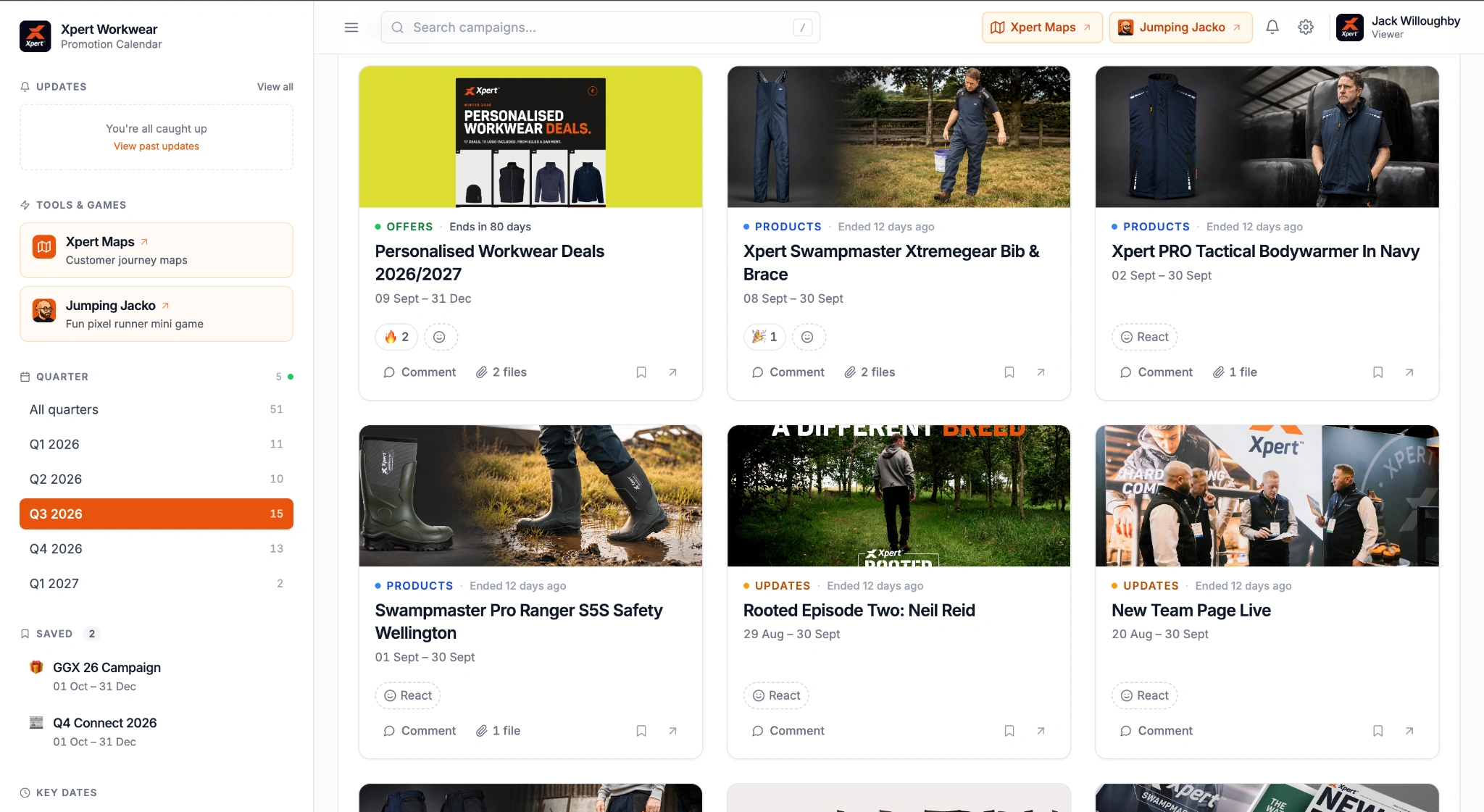
A promotion is more than a date in a calendar. It comes with an offer, supporting files, questions, launch information and conversations between the people delivering it. Xpert.Promo brings that material into a shared working tool for the team. The challenge was to make a growing campaign programme easy to browse without losing the detail that makes it useful. It also needed to serve two different audiences: colleagues working behind the scenes, and trade customers who should only see the promotions deliberately shared with them.
02 / THE IDEA
One plan. Different views of it.
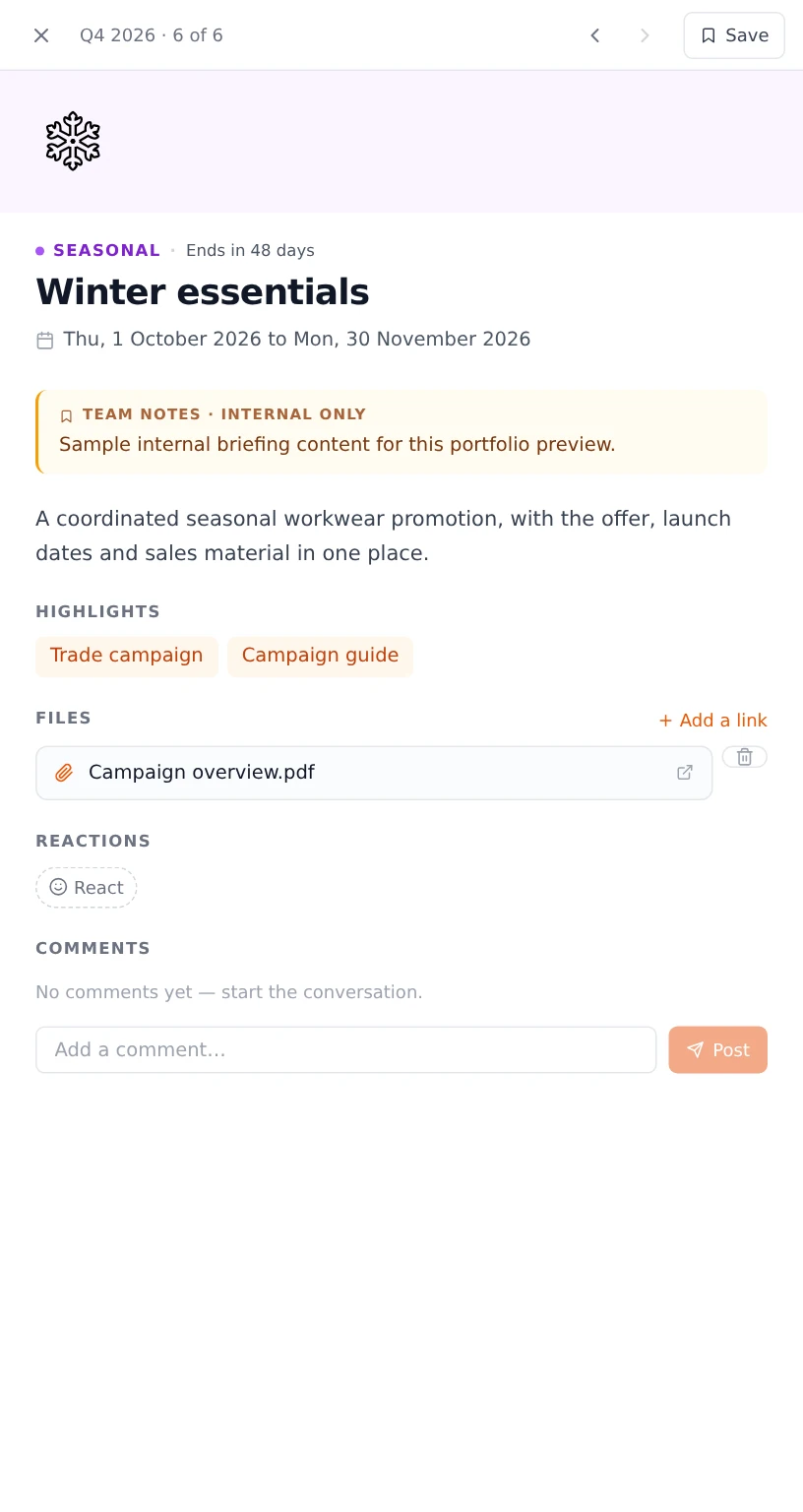
Make the campaign the centre of the system. Give each one a clear place in the quarter, then keep its description, resources, FAQs and discussion together. The overview helps someone answer “what is happening?”; opening a campaign answers “what do I need to know?”. The same information model also supports a separate trade view. That distinction matters: a useful internal workspace needs room for notes and discussion, while a customer-facing promotion needs a much more selective presentation.
03 / THE BUILD
The detail behind Xpert.Promo.
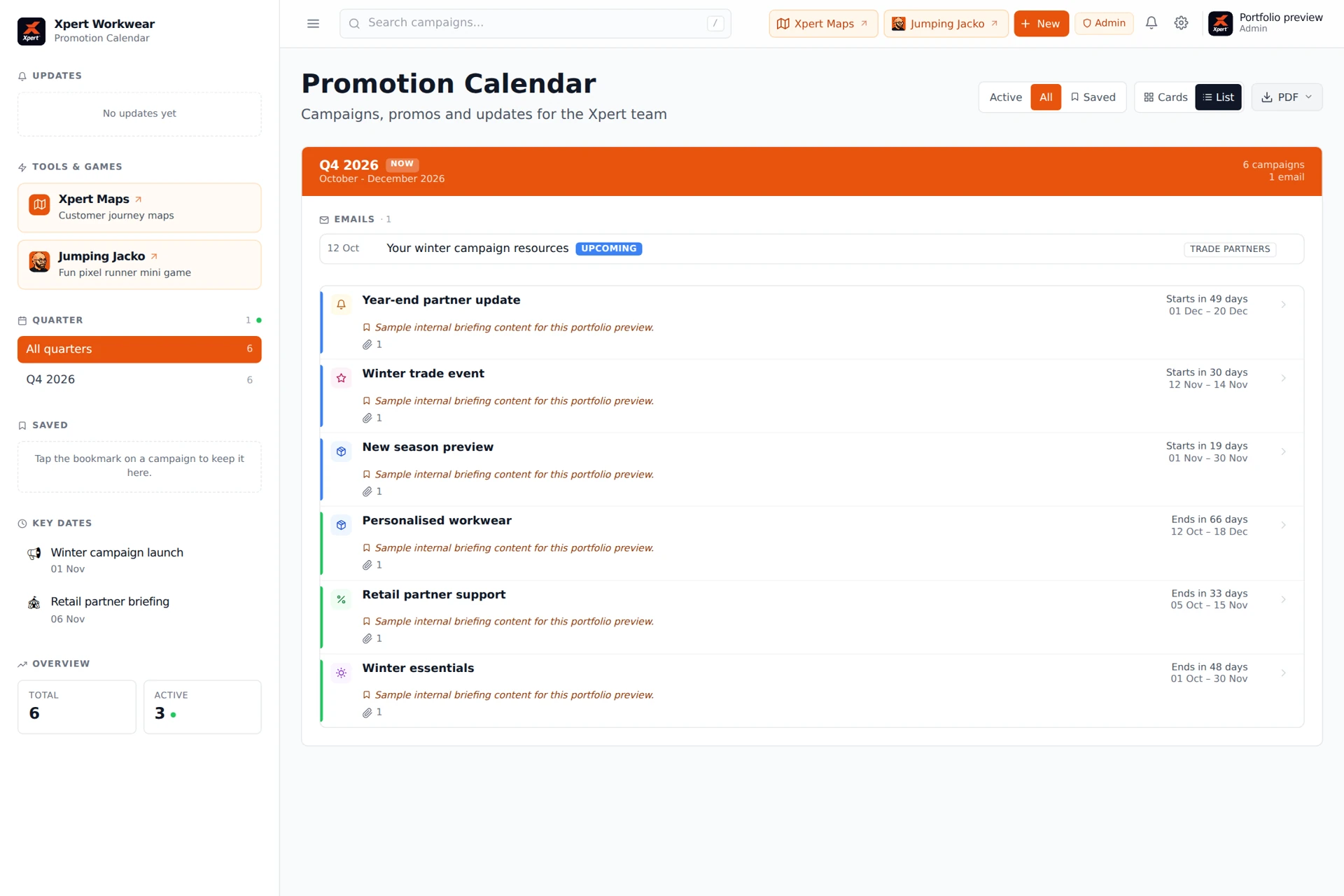
The application combines a quarterly campaign overview with cards and a compact list view, search, status filters and saved campaigns. Opening a campaign reveals a detail sheet with resources, FAQs and team discussion, without losing the place in the calendar. The broader workspace includes key dates, B2B email planning and team broadcasts. Behind that interface is a publishing system: campaigns can be drafted, scheduled, hidden or archived, quarters can be controlled, and trade visibility is explicit. Different account roles govern what people can manage. Realtime updates, engagement reporting, PDF exports and AI-assisted drafting extend it beyond a static campaign board into a tool that supports the day-to-day work around the plan.
04 / THE SCOPE
What went into it.
- 01
A campaign people can use
Designed the information around the campaign itself: timing, status, commercial description, highlights, resources and FAQs, with a detail sheet that keeps the calendar close at hand.
- 02
One plan, several ways in
Built quarterly navigation, full-text search, card and list layouts, active and saved views, plus B2B emails and key dates so different team members can find what matters to them.
- 03
The conversation stays attached
Added comments, reactions, bookmarks and broadcast messages, including links back to a campaign. The relevant conversation sits beside the work instead of becoming detached from it.
- 04
An intentionally separate trade view
Created a read-only promotions surface for trade accounts, backed by a restricted database view. Only explicitly shared campaigns and customer-safe fields belong in that experience.
- 05
The work behind the interface
Implemented account roles, user administration, visibility controls, realtime subscriptions, file handling and PDF export. AI-assisted campaign drafting gives administrators a starting point within the same workflow.
- 06
Understanding engagement
Built reporting around campaign views, resource activity and other engagement events, together with a live presence view. These features help administrators see how the workspace is being used.
05 / THE RESULT
Where it stands.
The delivered product is a campaign workspace with an internal planning layer, a controlled trade-facing layer and the administration needed to maintain both. Its depth is in the connections between the features: a campaign can be found, opened, discussed, saved, exported and selectively shared. The screens here use sample content to show the application without exposing internal campaign information.
In-house product
Talk about a similar project