
Sales enablement / Product design
Xpert Decks.
The presentation templates I kept coming back to, turned into a tool the whole team can use.
- My role
- Presentation design, product direction, interface design and AI-assisted development.
- Project
- In-house presentation tool
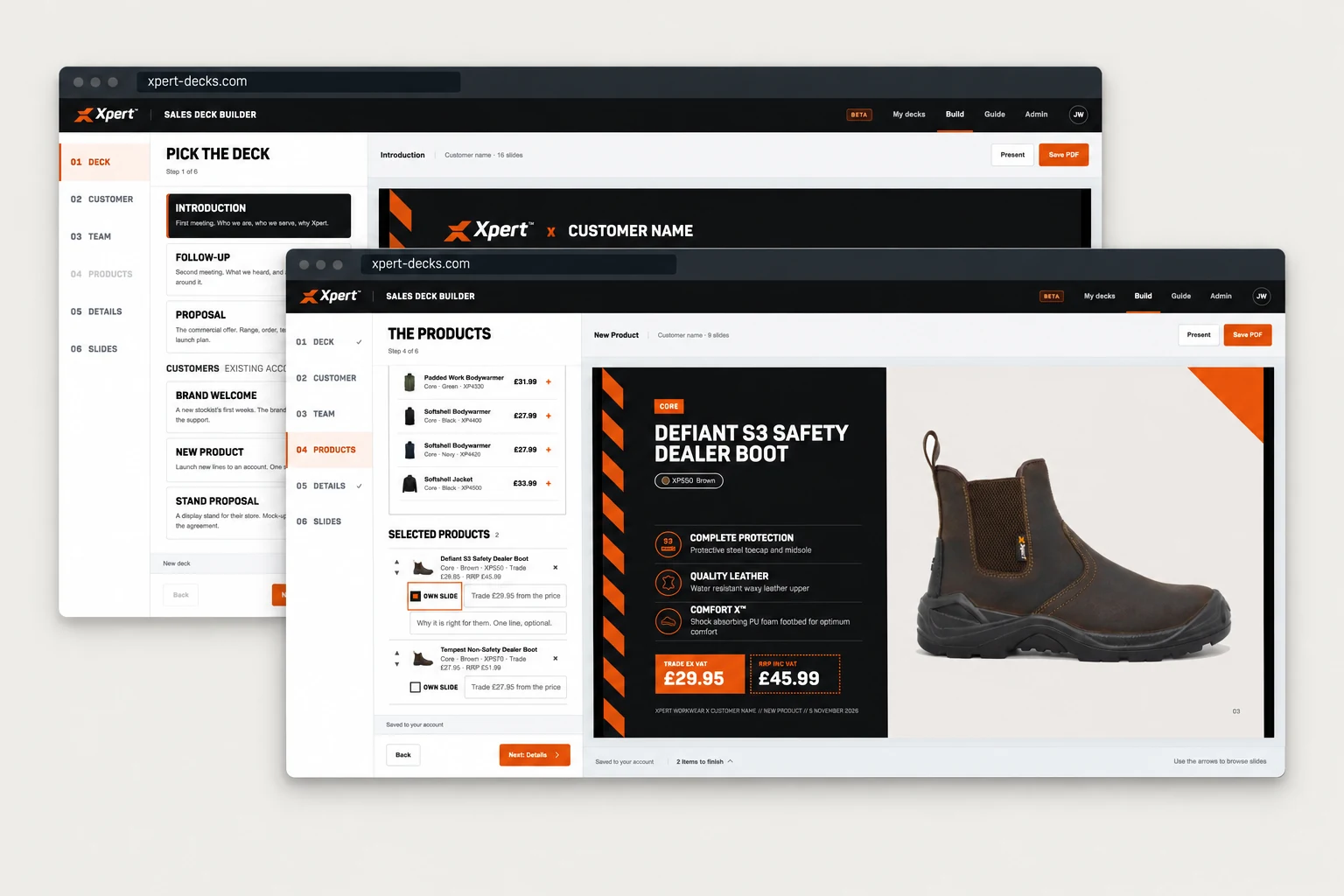
01 / THE BRIEF
I couldn’t keep making every deck.
We were getting more presentation requests than I had time to design. A first meeting with a retailer, a follow-up, a product launch. Each needed a good deck, and each meant time spent putting one together.
Over time, I noticed I kept returning to the same templates. The customer, products and details changed, but a lot of the design work was already done. I wanted the sales team and internal staff to be able to use that work themselves.
Build the range for that account.
02 / THE IDEA
Put the design decisions into the tool.
The templates already held a lot of decisions: how we introduce Xpert, how we present a product, how we explain our retail support and how a deck should flow. The opportunity was to turn those decisions into a guided process.
The team would choose the conversation they were preparing for, add the customer details and select what mattered. The tool would take care of putting it into the right layouts. Typography, colour, spacing and slide design would stay aligned, while the content could change from one meeting to the next.
Ready for the conversation.
03 / THE BUILD
A working deck, built around the meeting.
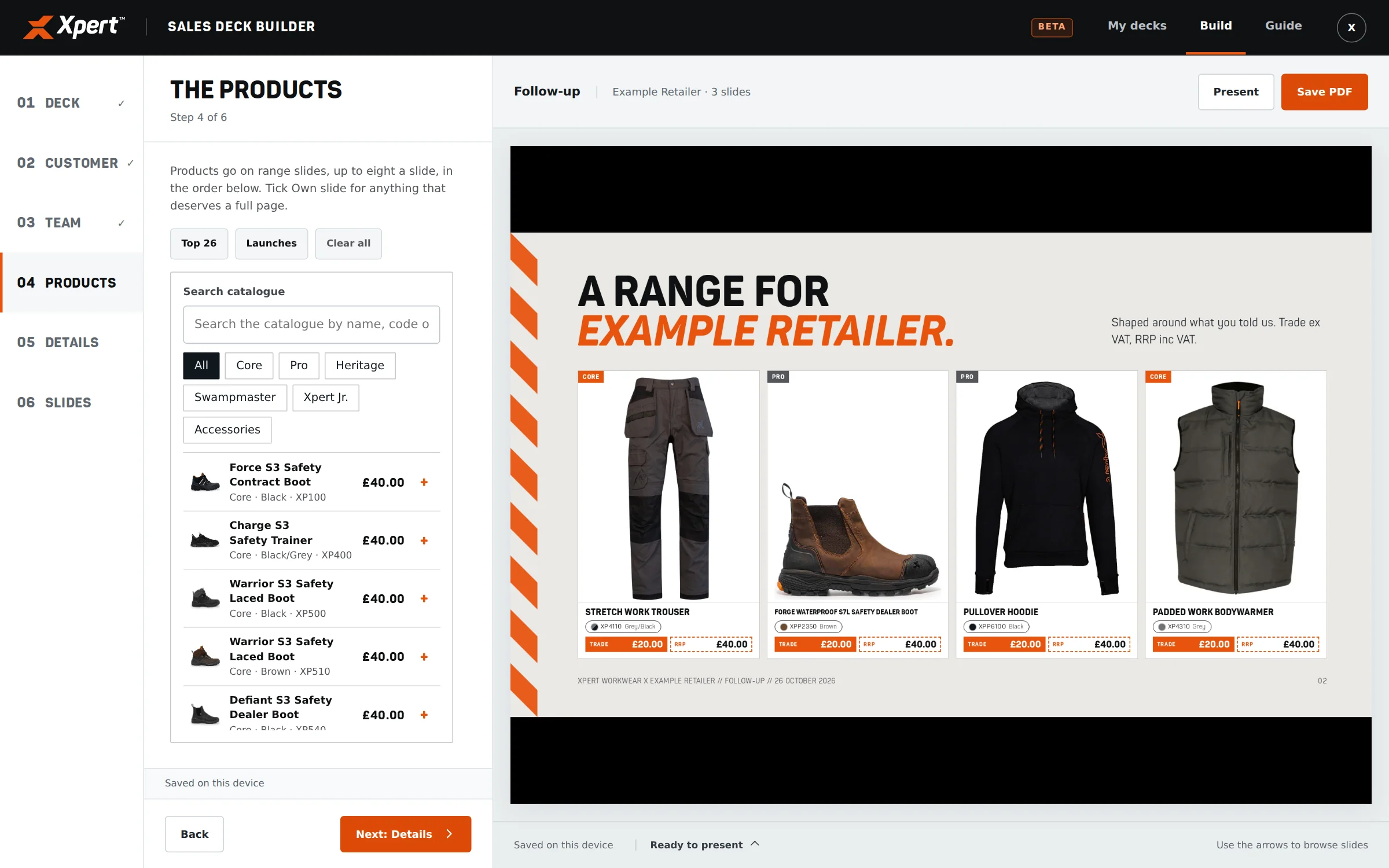
I used AI alongside my existing presentation designs, copy and product information to build Xpert Decks. The editor takes users through the setup, with a live preview showing how each choice affects the presentation.
Six starting points cover introductions, follow-ups, proposals, new stockists, product launches and stand proposals. Each has a relevant set of slides and details to work through. Users can personalise the customer and account team, choose products, add the information needed for the meeting and review the final slide selection.
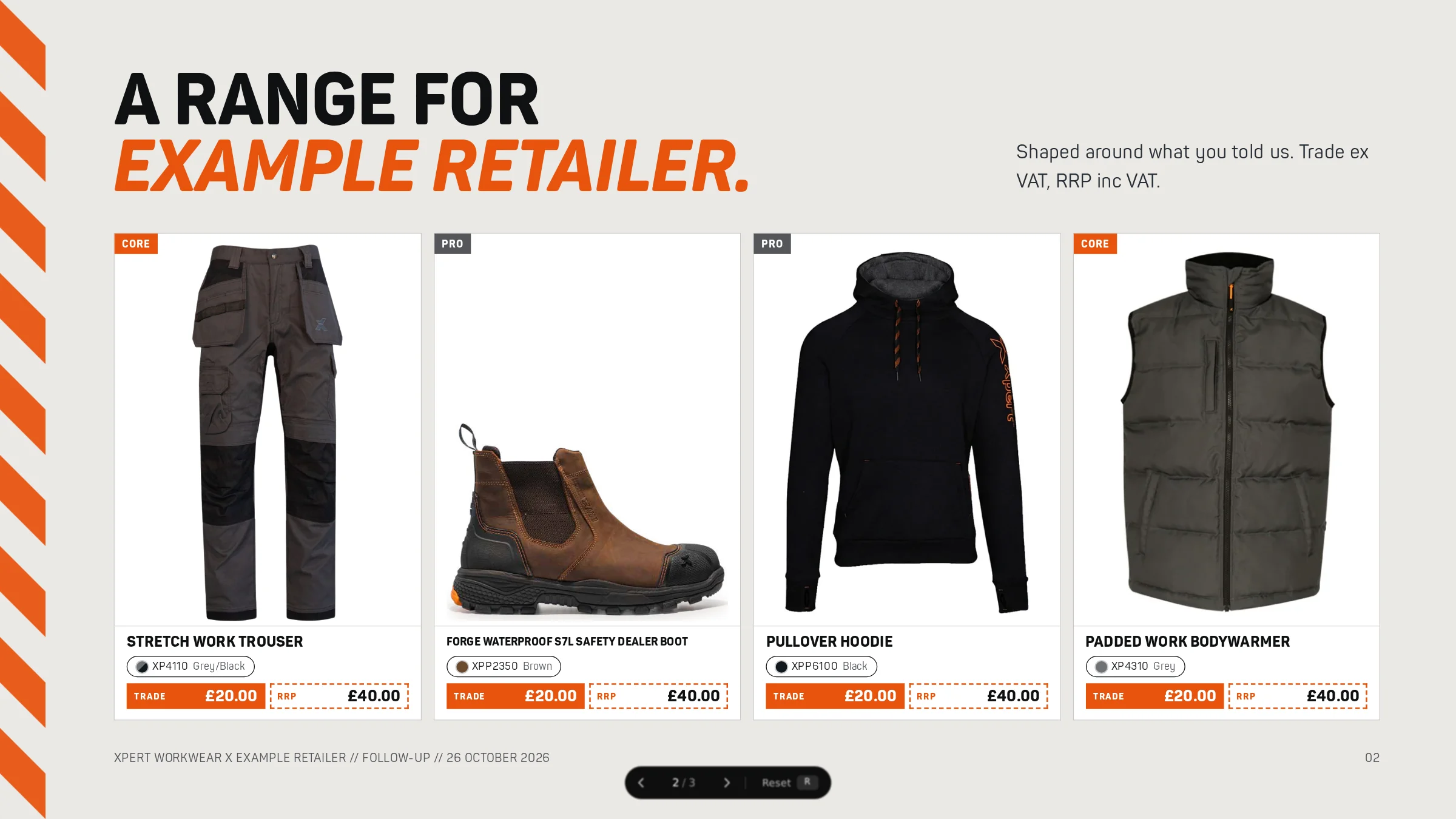
The product catalogue is part of the tool. Images, features and prices come into the presentation with the selected products. A range can sit together on a slide, or an individual product can have a page of its own.
Once ready, the team can present in the browser or save a PDF. Saved decks can be reopened and adapted, so the work stays useful for the next conversation.
From first choice to finished deck.
Explore the actual builder. Each view shows a different part of the flow, using an example customer and illustrative prices.
A starting point for the conversation.
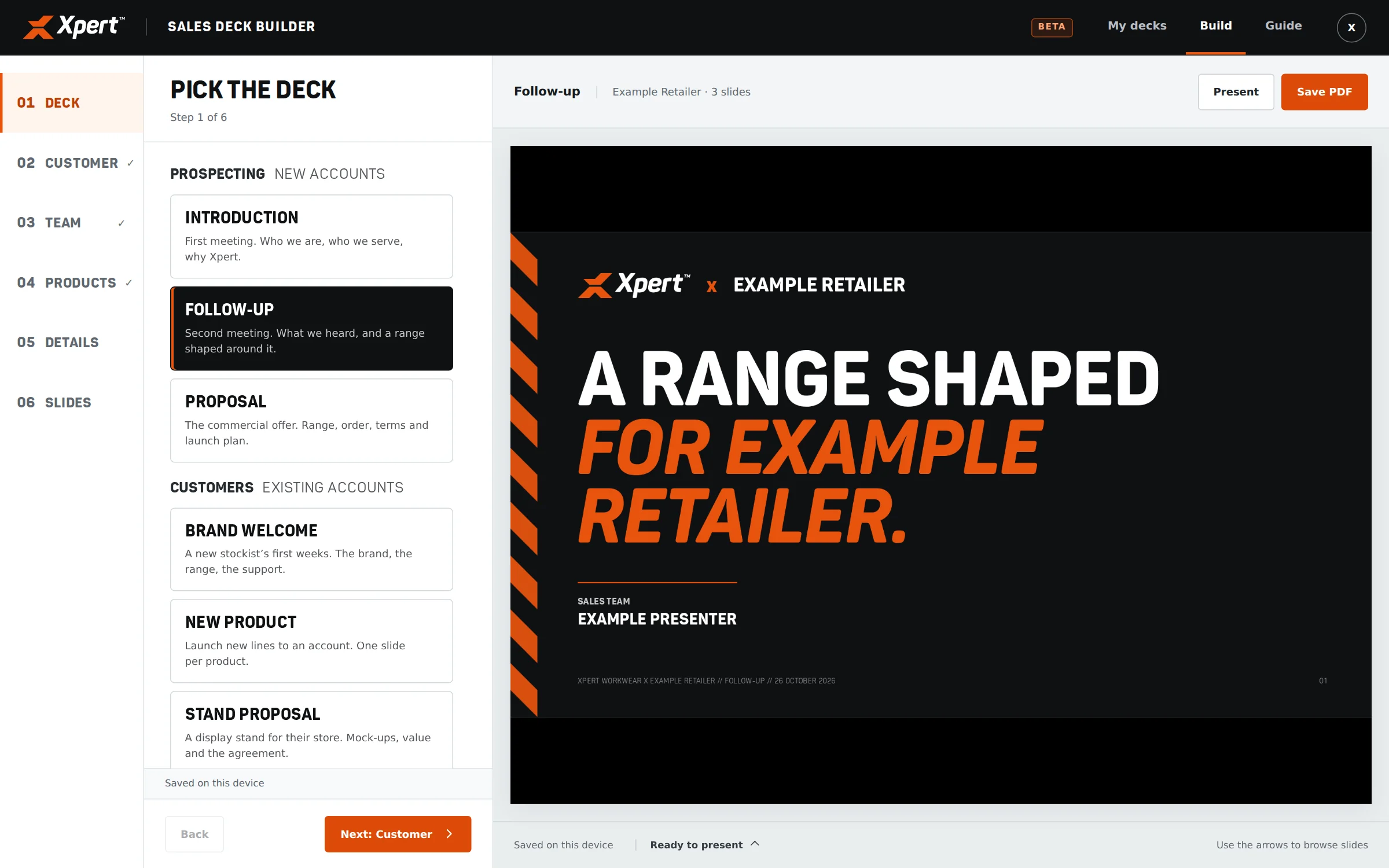
Start with the conversation.
Choose the kind of meeting. The builder gives the team a relevant structure and the details they need to complete, with the presentation visible alongside it.
Make it specific to the customer.
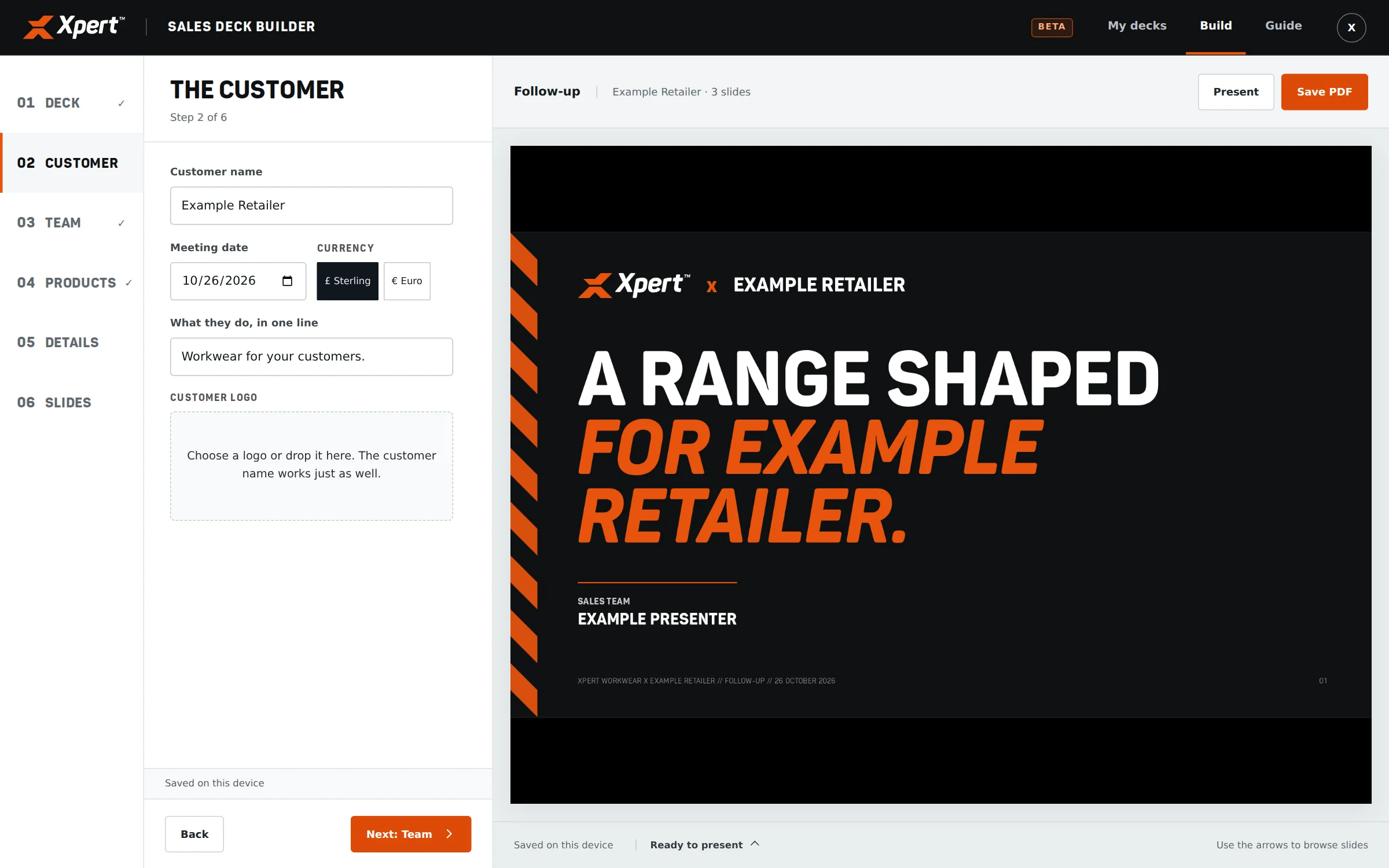
Make it their presentation.
Add the customer’s name, logo and meeting details, then choose the account team. The presentation carries that context through the templates.
Build the range for that account.
Put the right range together.
Search the catalogue or browse by range. Selected products bring their images and information with them; users decide what to group and what deserves its own slide.
Choose what belongs in the meeting.
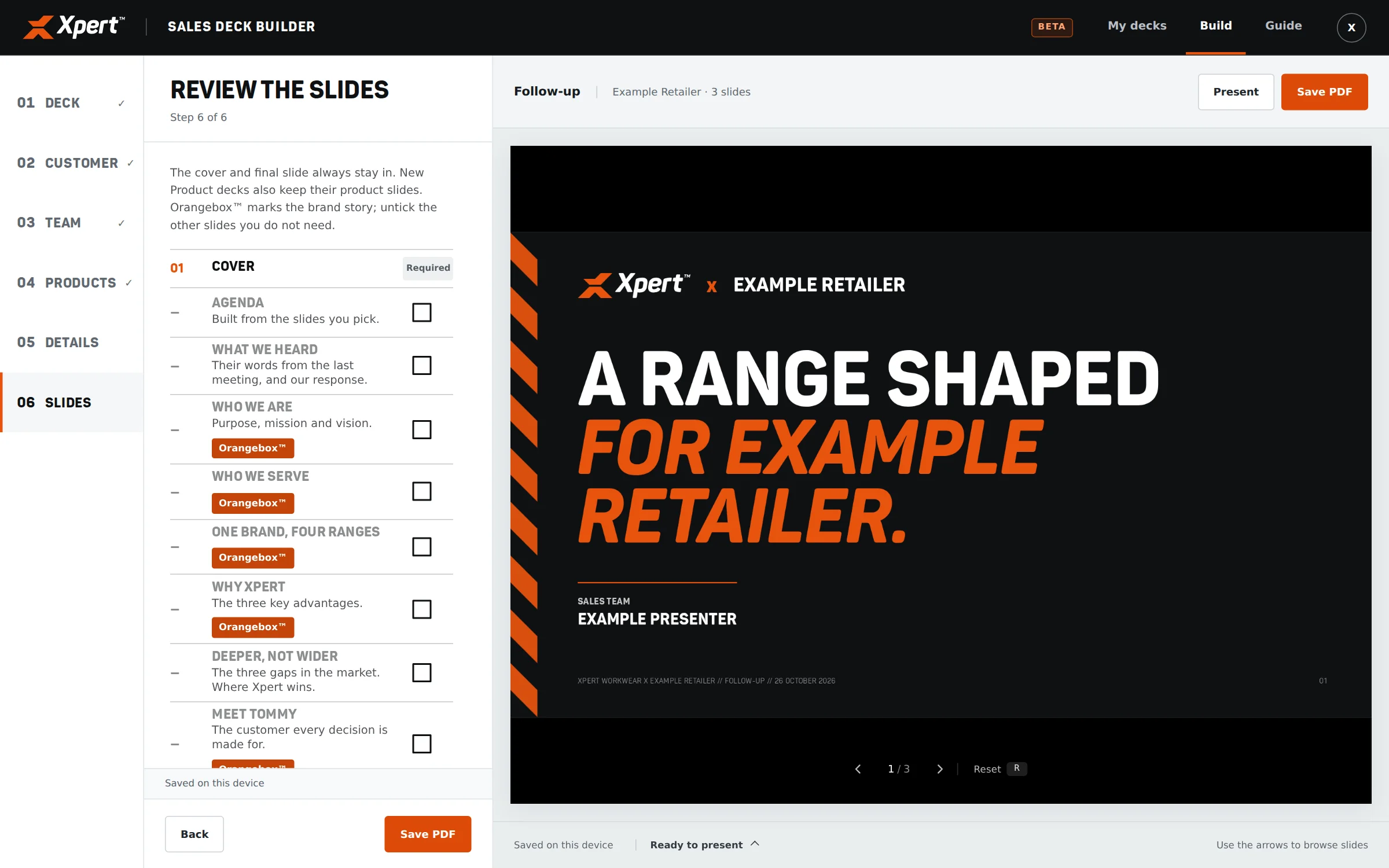
Keep what the meeting needs.
Review the slide checklist. Optional sections can be included or removed while essential slides stay in place. The preview makes the result visible before presenting.
Ready for the conversation.
Take the finished deck into the room.
Present directly in the browser or save a PDF. A saved deck can be reopened and adapted for a follow-up or the next account.
04 / THE SCOPE
What went into it.
- 01
Six types of conversation
Introduction, follow-up, proposal, brand welcome, new product and stand proposal. Each starts with a structure suited to the job.
- 02
Product information, already there
Search and filter the catalogue, choose products, arrange the range and decide which products need their own slide. Images and key information travel with the selection.
- 03
Useful freedom within the templates
Customer details, account team, meeting notes, commercial terms and next steps can change. The layouts and visual standards stay built into the tool.
- 04
A deliberate slide selection
Required slides keep the essentials in place. Optional slides let the team choose the brand story, product detail and retail support relevant to that meeting.
- 05
Retail stand proposals
Upload mockups, choose one or two images on a page, and add, remove or reorder mockup pages. Stand details and the agreement sit within the same presentation.
- 06
From preparation to presenting
A live preview while building, browser presentation mode, PDF output and saved decks that can be reopened and adapted.
05 / THE RESULT
Where it stands.
The sales team and internal staff can put together an on-brand presentation in five minutes by following the flow and adding their information. They can prepare the deck they need without waiting for me to rebuild it.
For me, the value is that the design work keeps being used. A good template becomes part of how the team works, with more room for marketing to focus on the next piece of work.
Internal Xpert tool, currently in beta. The cover is a presentation mockup; the walkthrough shows the working interface with an example customer and illustrative prices.
Talk about a similar project